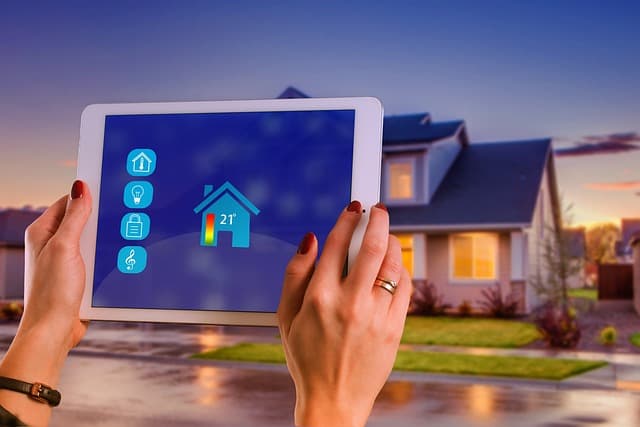
Are you interested in home automation but concerned about the possibility of hackers breaking into your home? Don’t worry, we’ll share our knowledge to help you secure your smart home from cyber threats!
Honestly, being able to control various devices and appliances in your home—from thermostats and TVs to smart locks and lighting—can add a lot of convenience to your daily life. But with this added efficiency and convenience, your smart devices also carry additional cybersecurity risks. That is, the various Internet-connected devices that make your home smart can also make it less secure, as they are potential “entry points” into the system used by hackers. Don’t panic, but we have found that these devices can indeed make you more vulnerable to cyberattacks.
And not just cyberattacks — what if a hacker can access your smart thermostat data to determine the time intervals when you are away from home? Talk about a window of opportunity!
So, if you’ve invested money and time in building a smart home system, you also need to spend time ensuring its security. We’ll tell you exactly how you can combat cyberattacks (and other attacks) while building your smart home ecosystem.
- Configure your router correctly
Your router is the virtual “front door” to your smart home. It connects all your IoT devices, so it must be secure. Here are some tips and tricks on how to protect your router from attackers.
First, change the default router name (usually the brand or model) specified by the manufacturer. Cybercriminals can easily access your network if they can identify the device model, so give your router a unique name that cannot be traced back to you or your home address.
Similarly, use a complex password consisting of uppercase and lowercase letters, numbers, and special characters. The longer the password, the better. In addition, we recommend using a strong encryption protocol — for example, WPA2 instead of WPA or WEP. Without going into detail, WPA2 encryption protects your Wi-Fi access points and your network.
Make sure that each IoT device has different credentials. That way, even if one device is hacked, the others will remain untouched. Finally, consider using a password manager tool to securely store all your passwords (just don’t forget the password to access the password manager!).
One professional tip is to always use WPA2 or, even better, WPA3. In many ways, WPA3 is the next evolutionary step in router security, as it uses 128-bit encryption.
- Set up a separate network for Internet of Things devices
Modern routers allow you to create a guest network separate from your main network. This way, your relatives, friends, and guests can only access a separate network that is not linked to your IoT devices, which means you retain sole control over your smart home.
As you can see, it is important to remember to control access to and modification of your router and any connected smart home devices. In other words, don’t give cybercriminals an inch to work with — if you do, they will take a mile every time.
- Make sure all devices are up to date
Please note that your router, IoT devices, and their corresponding apps may not update automatically. Therefore, if you receive a notification about a new update, don’t delay installing it, as it may be a critical patch to fix a security bug.
In addition, you need to check for updates manually from time to time and, if there are any, be sure to install them. The bottom line is that keeping your devices as up to date as possible will help limit the risk of attack (or strengthen any gaps in your “cyber armor”).
- Disable unnecessary features
Many smart devices allow remote control because they operate on a network. Over the years, we have used a variety of smart home technologies, and remote access and control are among our favorite features offered by many smart products installed in our home infrastructure. However, if you don’t need remote access, be sure to disable it.
Similarly, your smart speakers may have Bluetooth control in addition to Wi-Fi, but if you don’t use this feature, it would be wise to disable it. Essentially, you need to limit as many potential entry points into your network as possible.
- Enable two-factor authentication
Two-factor authentication (2FA) gives you an extra layer of security compared to a simple password. Once enabled, every time someone tries to access your smart device, they must verify their identity. You’ve probably seen this before, especially when dealing with online banking accounts and the like.
This identity verification takes the form of a one-time password (OTP) or verification code sent to your smartphone or email address, which verifies that the person trying to log in is actually you. Most IoT devices have a built-in two-factor authentication feature, so we recommend checking your device settings and enabling 2FA immediately.
Conclusions
Don’t wait for a scammer to remind you why it’s better to be safe than sorry. The last thing you need is for a hacker to break into your smart home and gain access to your personal or financial information, or take control of your security cameras to spy on you in your own home. Of course, this is the worst-case scenario, but you’d be surprised how often it happens.
Take note of the five protection methods described above. When buying a new device, it’s also important to check online reviews to see if there are any vulnerabilities that users have reported.