The market for wireless smart home solutions is represented by several large ecosystems, each with its own advantages. Some systems are geared toward budget solutions, while others are geared toward professional installation. Despite universal communication protocols and manufacturers’ steps towards unification, it is not yet possible to completely abandon the choice of a smart home platform, so I recommend choosing a basic line of equipment with a compatible hub that suits your tasks and budget, and adding secondary components using universal protocols.
Aqara
A popular system based on Zigbee and Wi-Fi protocols, it has attractive-looking sensors, but is a closed platform with a limited set of functions and region-specific equipment. It is suitable for lighting automation, wireless climate control, security, and curtain control. At the same time, it has limitations for integration with external systems such as heated floors, in-floor heating convectors, supply ventilation, independent leak protection, and other engineering functions.
Tuya Smart Life
One of the largest and most flexible ecosystems, bringing together a wide range of brands and devices under one app. It works via Wi-Fi and Zigbee and supports a wide range of sensors, sockets, lighting relays, smart thermostats and heating thermostatic heads, electric curtain rails, etc.
Leading companies for Tuya equipment: Moes, Avatto, Heiman, Gledopto, LoraTap, Tongou, Zemismart, Werkel, Elektrostandard, Beok, Caleo, Bseed.
Sonoff
Simple and affordable devices that work via Wi-Fi and are compatible with voice assistants. Ideal for controlling lighting, sockets, and climate control equipment. Often used by enthusiasts for DIY systems based on Home Assistant.
Shelly
Advanced wireless relays for enthusiasts, using Wi-Fi and MQTT, ideal for controlling lighting, sockets, and specific devices such as garage doors. They are highly reliable and can operate locally without the cloud. They are used in both DIY systems and in the professional segment to integrate individual functions or remote devices into a common system.
Fibaro
Z‑Wave is one of the most advanced wireless automation standards. It provides high connection stability, minimal energy consumption, and broad compatibility between devices from different manufacturers. Fibaro is the leader among Z‑Wave solutions, offering professional systems for controlling lighting, climate, security, and electrical appliances. Other popular solutions include Aeotec, Qubino, Heltun, Vitrum, HeatIT, and Danalock. It requires professional setup and a compatible control center, such as Fibaro Home Center 3.
However, unlike Wi-Fi and Zigbee, Z-Wave equipment requires special skills for installation and configuration, so this system is more often used in professional smart home projects.
Home Assistant
Home Assistant in conjunction with Zigbee2MQTT, ESPHome, and Tasmota are solutions that appeal due to their apparent versatility and openness. They create the illusion that it is easy to build a smart home from devices from different closed ecosystems, ensuring compatibility by reverse engineering the protocols of these devices or completely replacing the factory firmware on each sensor. In practice, this means that support for certain functions in certain devices may be incomplete or unstable. In the best case, a function will simply be unavailable, and in the worst case, an incorrectly connected device may drop out of the network or even reset to factory settings. This is especially critical for important systems such as water leak protection or smart circuit breakers in electrical panels.
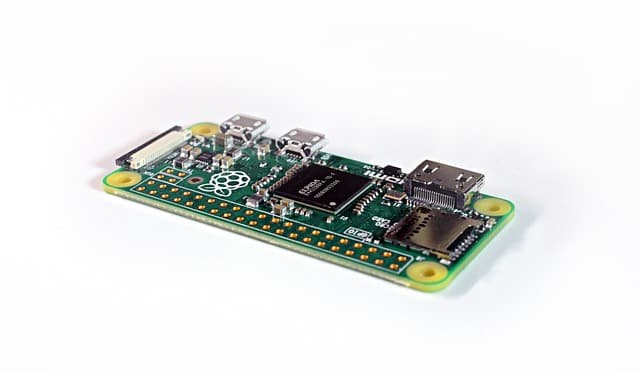
It is open source-based systems that are most often the source of complaints about unstable equipment performance, especially when users try to combine devices from different platforms. Such solutions are often built on the cheapest sensors with simplified circuitry, and the software runs on hubs based on Android TV set-top boxes or Chinese clones of Raspberry Pi. It is often this user experience that forms a lasting negative impression of the reliability of the very concept of wireless data transmission in a smart home.
In addition, it is worth considering that responsibility for the stability of the entire open source software-based system lies entirely with the user. There is no manufacturer that guarantees the correct operation of the components in this system. Even a simple update can become a problem: for example, a new version of Home Assistant may require the latest version of the Linux library, which is not available in your system’s repositories. Building the necessary software from source code requires time, knowledge, and patience — qualities that most users who simply want to use a smart home and not constantly figure out its inner workings do not possess.
Therefore, when choosing a platform, it is important to approach it sensibly, taking into account all the risks and complexities of operation. Personally, I sometimes use Home Assistant as an additional component, for example, for local connection of devices through integrations such as Tuya Local, but only as an extension of the main system. Most often, this is needed for tasks such as determining the presence of the owner’s smartphone on the local network or creating a non-standard user web interface — that is, where high reliability and deep integration with equipment are not required.